YouTube Kids as it was meant to be.
With parents in control.
Gorilla is a small Mac and Windows app that builds your family its own video site. Only the YouTube channels you approve. No algorithm. A timer that ends the session for you.
One-time purchase. No subscription. Watch the setup video.
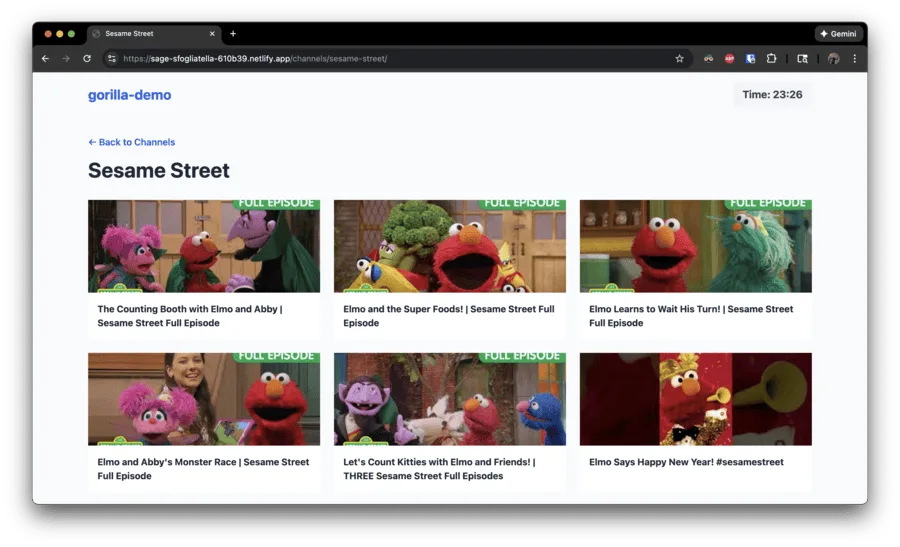
A great thing happened when we built Gorilla:
our kids watched less.
Your kids will never be three related videos away from something bizarre, exploitative, click-baity, or inappropriate.
The YouTube Kids problem
We've used it for years across 4 kids. But it has its limits.
- Unpredictable content
- YouTube Kids' algorithm is still that, an algorithm. You never know what your child will encounter.
- Limited selection
- Not all kid-friendly content is available. Popular creators and shows are often missing or hard to find.
- UX noise
- There are animations and silly noises on scroll. What's supposed to delight is distracting.
- Locked away in an app
- YouTube Kids requires an app on your phone or tablet. Limited, clunky, and not responsive to your needs.
So we built our own. Here's how Gorilla works.
You run the app once on your computer. It builds a private website for your kids, and you put it online for free.
-
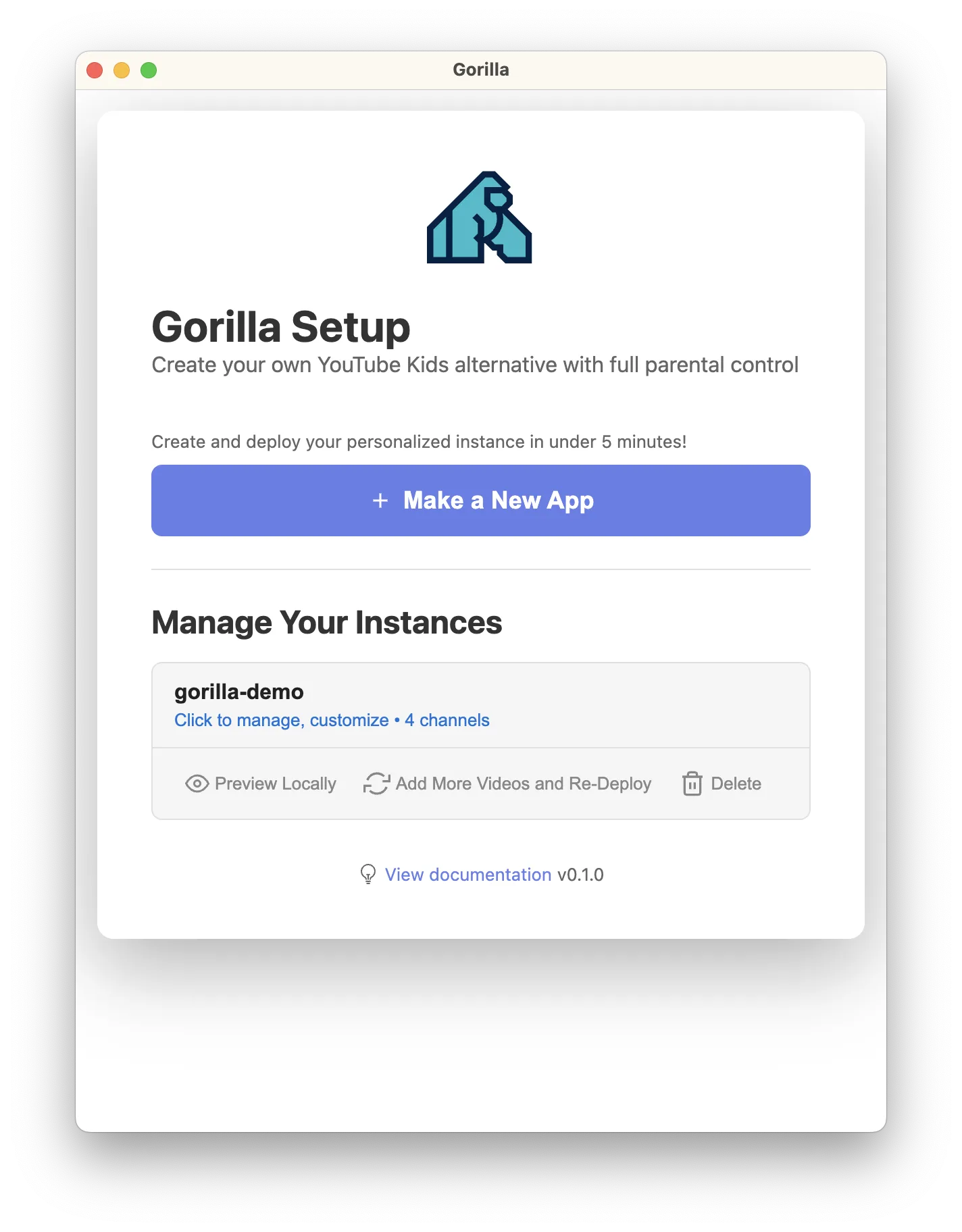
Download
Get Gorilla on your desktop or laptop. Mac and Windows.
-
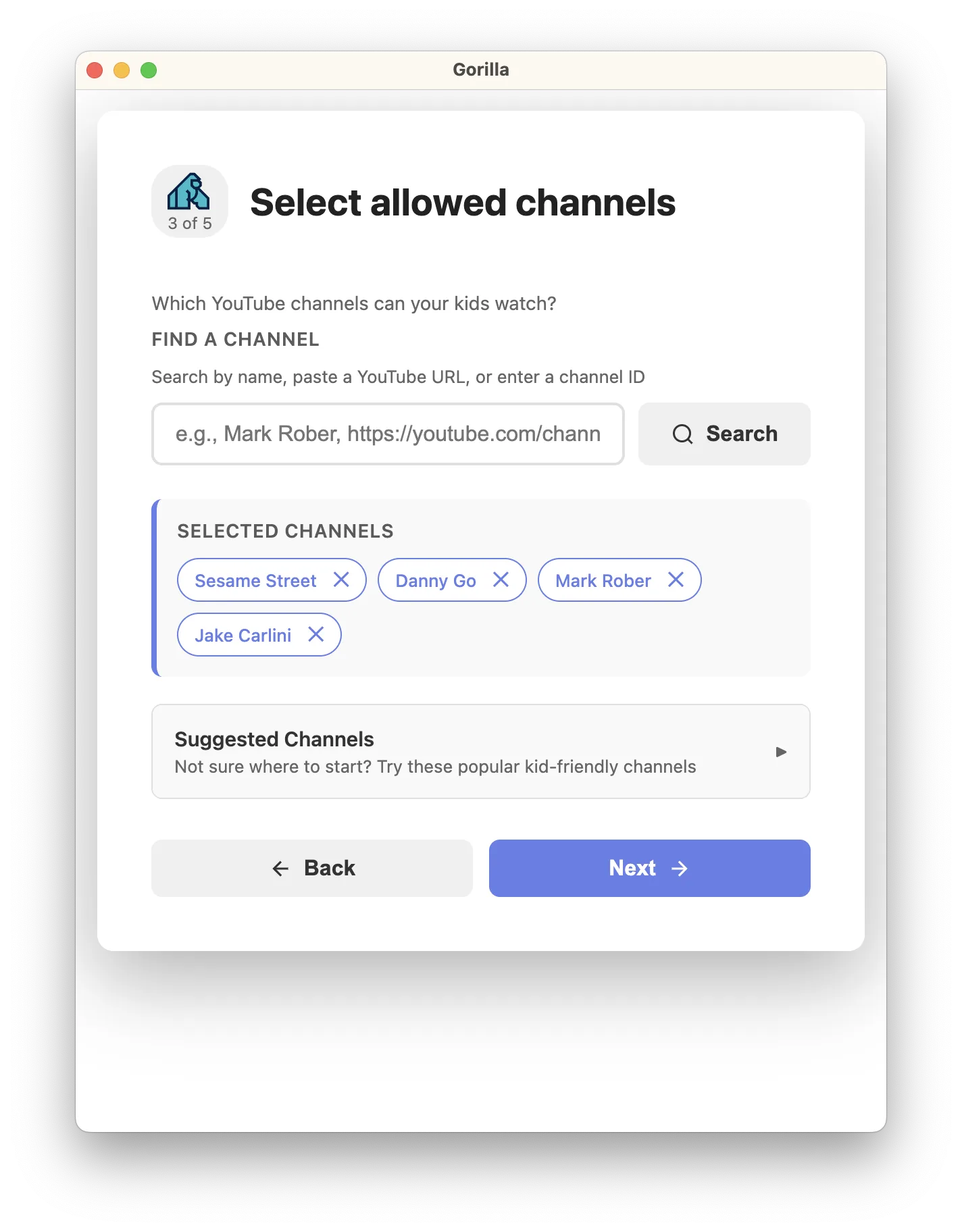
Set it up
Pick the channels your kids can watch. Set viewing time limits.
-
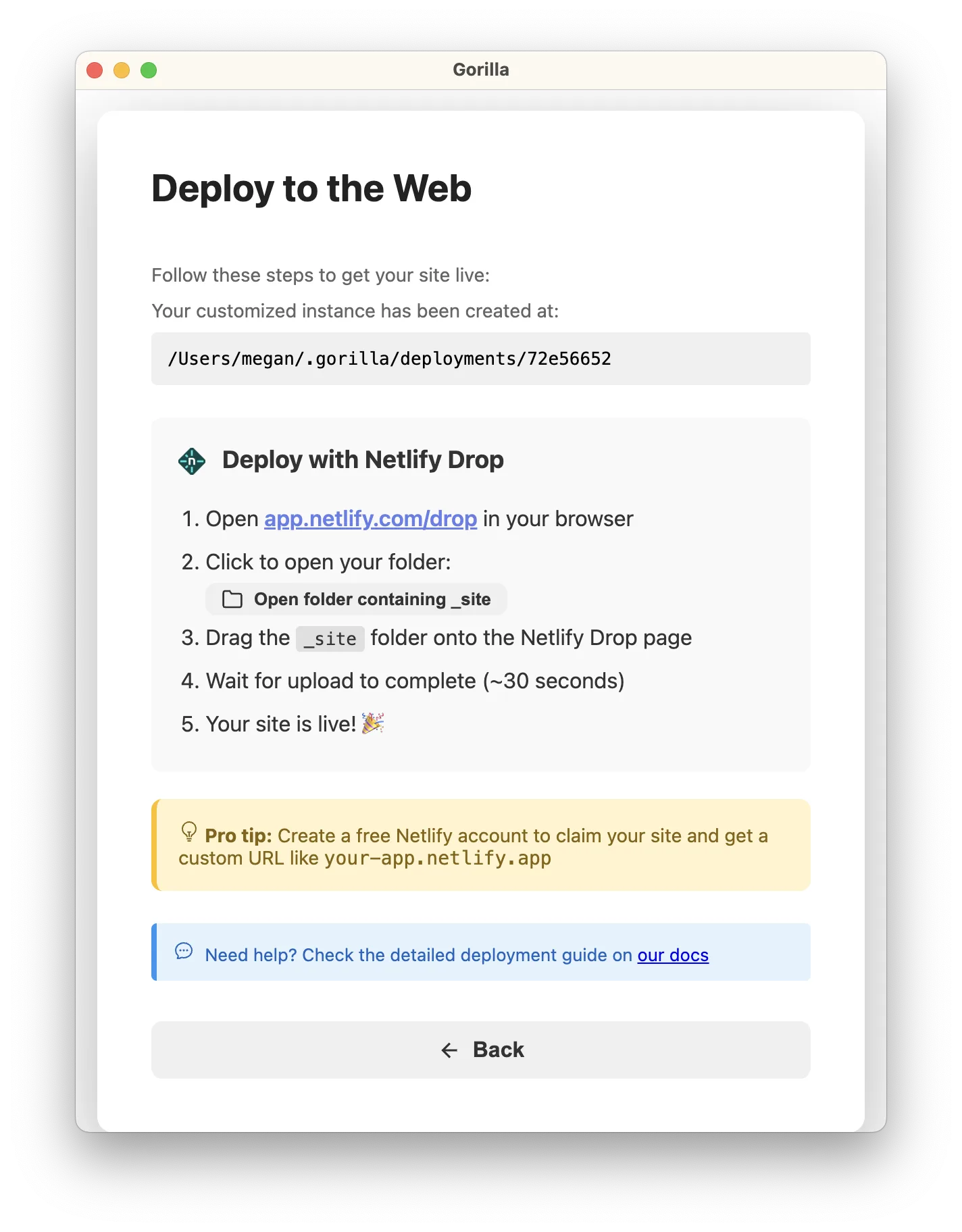
Deploy and relax
Put your site online with our easy instructions. Add more videos with a couple clicks.
A YouTube Kids alternative you actually control
- Curated and safe
- Every channel is picked by you. No algorithms. No surprises. Just content you can trust.
- Full collection
- Search and add that odd-ball channel. No restrictions. Everything they love.
- No extra ads. Ever.
- Pure, clean viewing. No interruptions. No tracking. No distractions. (Subject to creator content.)
- Works everywhere
- Desktop, tablet, phone, TV. Responsive design that works beautifully on any device. No app required.
- Simple and intuitive
- No confusing menus. No hidden features. Just a clean interface that kids (and parents) will love.
- Parent controls
- You decide how much time. You choose the content. You're in control. Always.
Gorilla vs the rest
| Feature | Gorilla | YouTube Kids | Netflix |
|---|---|---|---|
| Ad-free | No ads added, ever | Mostly | Yes, with Premium |
| Content curation | Hand-picked by you | You + algorithm | Algorithm |
| Works everywhere | All devices | App only | Web and apps |
| Monthly cost | $0 (after purchase) | Free (with ads) | $7.99 to $24.99 |
| One-time purchase | Yes, forever | No | No |
Weighing more options? Read our guide to YouTube alternatives for kids in 2027.
Why choose Gorilla?
Because you don't have to compromise on choice and control.
- Designed for families
- We're parents too. We built Gorilla for ourselves. And for families who want quality content they already know.
- No frills. No nonsense.
- We stripped away everything that doesn't matter. No algorithms pushing engagement. No recommendations designed to addict. Just creators you and yours already love.
- One-time purchase. Forever access.
- Buy once, own forever. No subscriptions. No monthly fees. No surprise charges. Just one fair price.
- Privacy first
- This is a light wrapper around YouTube. We don't profit from your attention.
Simple, fair pricing
Gorilla Basic
One-time payment, one-time download.
$14
Own Gorilla forever. No subscriptions. No monthly fees. One fair price.
- Unlimited channels and videos
- Easy setup
- Full control for your kids
Mac and Windows. Fulfilled via Gumroad.
Is Gorilla right for you?
We'd rather you know before you buy. Gorilla is a tool you set up yourself, not a streaming service.
- You need a Mac or Windows computer to run the app. Your kids watch on any device with a browser.
- Setup takes about 30 minutes, including a free YouTube API key and a free hosting account. We walk you through both.
- For most families, Gorilla costs $0 to run after the initial purchase.
- New videos appear when you refresh your site, not automatically. That's by design.
What parents are saying
“Look. The timer goes off and they just go do something else. No fights.”
“I want to use this immediately.”
“I wish I knew about this sooner.”
“Can I go on Gorilla?”
Frequently asked questions
Is Gorilla safe for my kids?
Absolutely. It's safe enough for mine. Gorilla only shows content from channels you approve. No algorithms, no surprises.
Do I need a subscription?
No. You buy Gorilla once for $14, and own it forever. No recurring charges, no hidden fees, no surprise renewals.
What devices does it work on?
Gorilla is a Mac or Windows app that creates a website for you. This means that your custom website works on desktop, tablet, and phone. No tablet or mobile app required to view. It's responsive and works beautifully on any device.
Do I need to be technical to set it up?
You need to be comfortable following step-by-step instructions. Setup takes about 30 minutes: you create a free YouTube API key, pick your channels, and drag a folder onto a free host like Netlify. The docs and a walkthrough video cover every step.
Can my kids search for videos or see recommendations?
No, and that's by design. Kids can only watch videos from the channels you approved. There is no search, no related videos, and no comments.
How does the screen time timer work?
You set a time limit when you create your site. A countdown runs while your kids watch, and when it hits zero the site locks behind a PIN until you decide to extend it.
Are there ads?
Gorilla never adds ads or tracking of its own. Videos play through YouTube's embedded player, so anything a creator puts inside their own video is still part of it.
How often is content updated?
Part of the design of Gorilla is simplicity. It only loads the channels you tell it to. It only adds more content when you refresh and re-deploy it. In practice, this isn't an issue with my kids, because it can still easily generate hundreds of videos for them to watch, and they don't really miss a new one that comes out because they don't know about it via the algorithm or an annoying push notification. We might introduce ways to make this automatic, but right now we are a bit scrappy.
What if my child wants a different creator?
That's the thing. They need to ask you.
Do Gorilla sites cost anything to run?
Only if you choose to adopt extras like a custom domain name or extremely large volumes of content.
Something else? Read the docs or ask us directly.
Ready for a better YouTube experience?
Join families everywhere who've ditched YouTube Kids for Gorilla.
No hidden fees. Forever access.
Legal notice
Gorilla is an independent application that provides a curated interface to YouTube content. When you use Gorilla:
- You agree to comply with YouTube's Terms of Service and Google's Terms of Service
- You acknowledge that all video content remains property of YouTube and content creators
- Please review Google's Privacy Policy for information on how YouTube and Google collect data
Gorilla is not affiliated with, endorsed by, or associated with YouTube or Google. For full details, see our Terms of Service and Privacy Policy.